
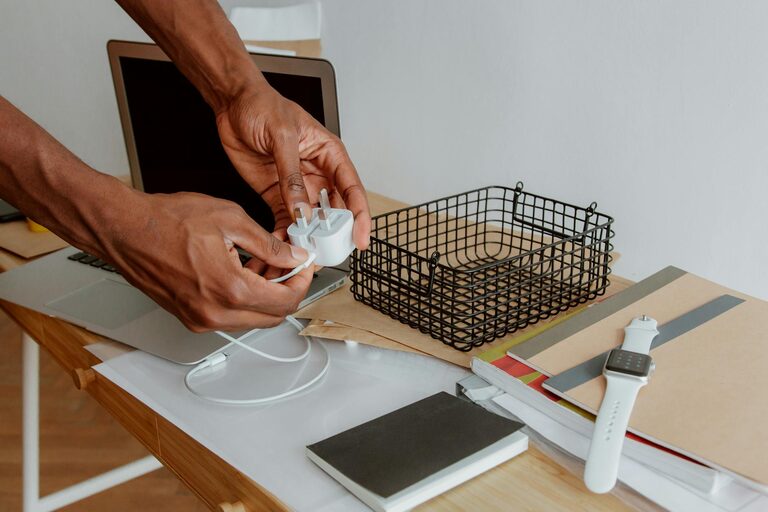
Keeping cables and chargers organized is a small task that can make a big difference in your daily routine. Whether it’s your home office, living room, or on the go, tangled cords can be frustrating and may even damage your electronics. Fortunately, with a few practical strategies, you can quickly transform chaotic cables into a neat, manageable system.
Why Organize Cables and Chargers?
Before diving into techniques, it’s good to understand why organizing cables matters:
– Safety: Prevents tripping hazards and reduces wear on cables.
– Convenience: Saves time when you need to find or unplug a charger.
– Aesthetics: Creates a clean and tidy appearance in your living or work space.
– Protection: Helps avoid damage from twisted or bent cords.
Now, let’s explore some simple and effective ways to manage your cables.
Assess Your Cable Collection
Start by gathering all your cables and chargers in one place. This step helps you see what you have and decide what you actually need.
Steps to Assess:
- **Sort by Type:** Separate charger cables, USB cords, HDMI cables, earphones, etc.
- **Check Condition:** Discard any broken or outdated cables.
- **Label If Possible:** Mark cables for specific devices with tags or color codes.
This initial step helps reduce clutter and makes the next organization phase easier.
Use Cable Management Tools
There are many affordable and easy-to-use tools designed specifically for cable organization.
Popular Cable Organizers Include:
– Cable Ties: Velcro or reusable ties keep cables bundled neatly.
– Cable Clips: Stick these on your desk or wall to hold cables in place.
– Cable Sleeves: Group multiple cables into a single sleeve for a cleaner look.
– Cord Boxes: Hide power strips and excess cable length inside neat boxes.
– Cable Winders: Wind and store chargers and earbuds to prevent tangling.
When choosing tools, consider the length and thickness of your cables and how often you use them.
Organize by Location and Usage
Think about where and how you use your cables most often.
Tips for Location-Based Organization:
– Desk Area: Use clips to route charging cables so they are within reach but out of the way.
– Entertainment Centers: Bundle HDMI and power cables behind your TV with sleeves or ties.
– Travel Kits: Use small pouches or roll-up organizers to keep chargers tidy while on the move.
– Charging Station: Create a central spot for charging multiple devices with labeled cables to avoid confusion.
Organizing cables according to their function and location saves time and reduces frustration.
Labeling for Easy Identification
Labeling is especially helpful if you own many similar cables.
How to Label:
– Write on Tape: Use masking or washi tape and a marker.
– Use Pre-Made Tags: Purchase small cable labels or tags.
– Color Coding: Attach colored bands or ties for different device categories.
Clear labels prevent unnecessary unplugging or untangling, keeping everything smooth.
Minimize Cable Length and Excess
Long cables often cause tangles and clutter. Consider these methods to manage length:
– Shorten Cables: Use ties to wrap excess cable length neatly.
– Buy Appropriate Lengths: Where possible, purchase cables that match your actual needs.
– Use Retractable Cables: These cables extend when needed and retract for storage.
Keeping cables at the right length boosts their lifespan and keeps spaces tidy.
Routine Maintenance and Cable Care
Cable organization is not a one-time job. Regular maintenance keeps your system effective.
Maintenance Tips:
– Monthly Review: Check cables for wear and discard damaged items.
– Re-adjust Clips and Ties: Replace or move as your setup changes.
– Clean Dust and Debris: Wipe around cables and charging areas to maintain appearance.
A little upkeep prevents cables from becoming messy again.
Create a Dedicated Charging Station
If you regularly charge multiple devices, setting up a charging station can be a game-changer.
How to Build One:
– Use a power strip inside a cord box or on a shelf.
– Arrange cables with clips leading to device docking areas.
– Include holders or trays for devices.
– Label each cable and port.
A dedicated station keeps chargers and devices organized and ready, minimizing tabletop clutter.
Eco-Friendly Cable Management
Whenever possible, try repurposing materials to organize cables:
– Use binder clips or bread tags as cable holders or labels.
– Recycle old fabric scraps as cable wraps.
– Create DIY cable boxes from cardboard or wooden crates.
This approach reduces waste and saves money.
Final Thoughts
Neatly organizing your cables and chargers is a straightforward way to improve your workspace or living area. By assessing what you have, using the right tools, labeling, managing length, and maintaining your cables regularly, you can enjoy a clutter-free space and extend the life of your electronics.
Start small, maybe with your desk or entertainment center, and build your organization system gradually. With a little effort and some helpful tools, a tidy and efficient cable setup is within reach!
—
We hope these tips help you keep your cords neat and your devices charged without hassle. Happy organizing!